Tachograph analysis software: the infringements it doesn't catch and the manual check your operators skip
The software said clean. DVSA found three infringements on that driver's card. Same 28-day download. Here's what most tachograph analysis platforms miss and why manual review still matters.
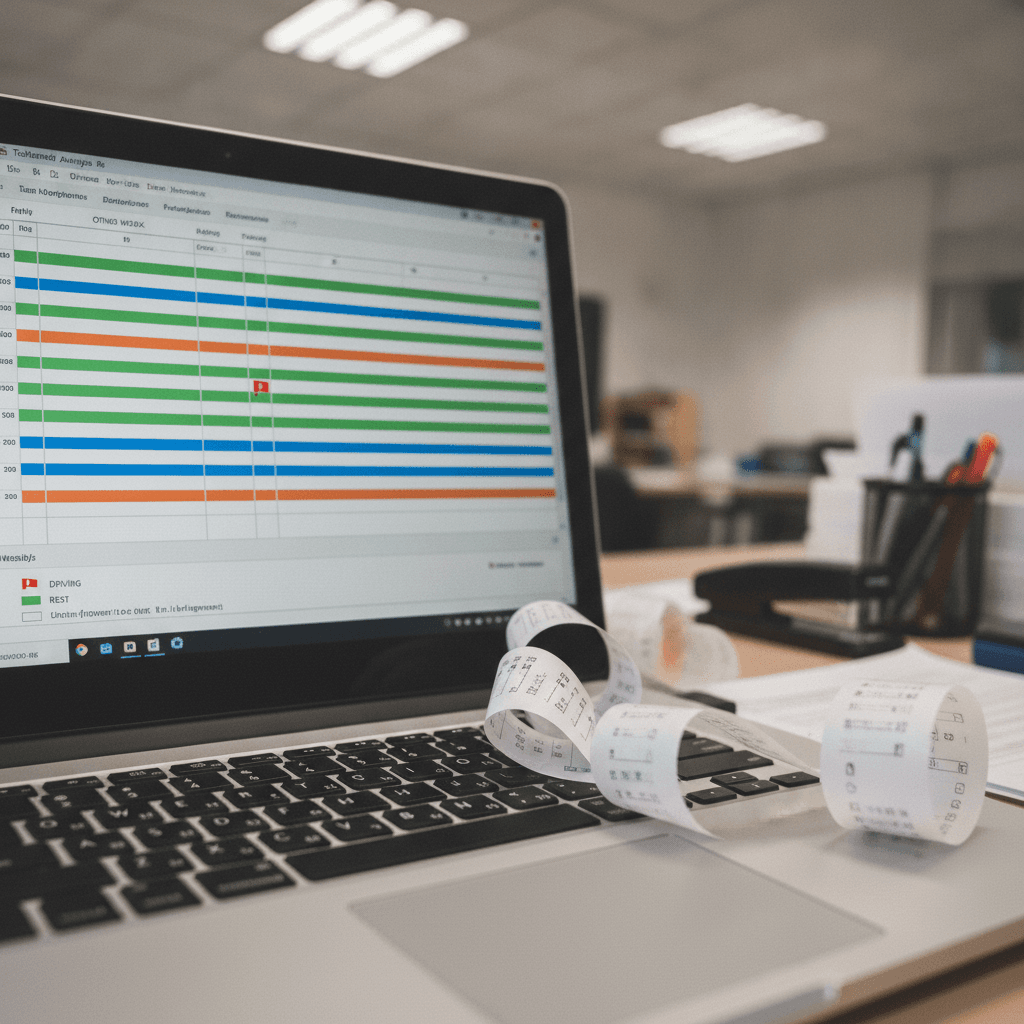
The conversation I dread is the one that starts with "but the software didn't flag it". DVSA found an infringement. The driver is disputing it. I pull up the analysis software and it shows a clean record for that period. Then I look at the raw data myself and there it is — clear as anything, a reduced daily rest that the system categorised incorrectly because of how the manual entry was recorded.
Tachograph analysis software is not infallible. It is also not optional — if you're downloading tachograph data and not running it through analysis, you're operating blind. But treating the software output as the final word is a different kind of blindness. One that's bitten enough operators in enough public inquiries that it's worth being explicit about what the software does and doesn't catch.
What tachograph analysis software actually does
Good analysis software — I'm thinking of the platforms most mid-sized fleet operators use: TachoPro, Tachomaster, Driver Techcard, similar — parses the data downloaded from vehicle units and driver cards, maps it against EU drivers' hours rules and UK WTD rules, and flags exceptions. It produces infringement reports that form the basis of your driver debrief process.
It does this job well for the standard patterns. A driver who takes a 30-minute break instead of 45. A daily rest of 8 hours when 11 was required. A week that runs over 56 hours. These are mechanically detectable from the activity data and the software catches them consistently.
The problems start when the data is ambiguous, incomplete, or when the infringement is a function of how data from multiple sources — the card, a different vehicle unit, a manual entry — needs to be interpreted together.
Manual entries: the most common source of analysis failures
Manual entries are where I see software fail most often. A driver making a manual entry for out-of-scope work, a ferry crossing, or a period where the card wasn't in the vehicle — these entries require judgment about how to categorise the activity. The software applies its own rules. If the manual entry is formatted in a way the software doesn't fully recognise, or if the entry description is ambiguous, the platform either ignores it or miscategorises it.
The effect: a rest period that was actually a rest becomes "other work" in the analysis. The software reads a 24-hour period where the driver had a genuine rest as a working period because of how the manual entry was coded. The infringement report comes out clean on rest but might flag a phantom driving-time issue instead — or misses a combined infringement entirely.
The manual check: look at any week where your driver made manual entries. Pull up the raw data view — most platforms have one — and compare the activity timeline to what the driver's report says happened. If they crossed the channel, you should see ferry mode or a manual out-of-scope entry. If the software shows that period as work, ask why.
Cross-vehicle periods
A driver who drove multiple vehicles in the same week — legitimate and common — creates analysis challenges. The software downloads each vehicle unit separately. The driver card download covers all activity. But some platforms don't consistently reconcile the cross-vehicle picture, particularly if the second vehicle's data hasn't been downloaded or processed yet when the driver card analysis runs.
I've seen cases where a driver was clean according to the driver card analysis but was in infringement when the second vehicle unit data was included — because the two vehicles' driving periods, when combined, breached the fortnightly limit on driving hours. The card analysis alone doesn't always catch this if the multi-vehicle reconciliation isn't working.
Check: after each weekly analysis run, confirm that for any driver who operated multiple vehicles that week, both vehicle records are included in the summary. If a vehicle's data wasn't downloaded in time, the analysis for that driver is incomplete.
Reduced rest and the day-boundary problem
Rest period calculations are date-boundary dependent. A driver who starts a daily rest period at 11:30pm and takes 10 hours of rest finishes at 9:30am. Whether that's a compliant daily rest (it is — 10 hours of reduced daily rest is permissible three times a week) depends on how the platform reads the period boundaries.
Some platforms calculate rest periods using calendar day definitions. Others use a rolling 24-hour window from a defined start point. If the platform and the regulation are using different reference points, periods that are compliant come out as infringements and genuine short rests occasionally slip through.
This isn't a theoretical problem. I've had to explain to a driver that the infringement on his report was a software interpretation issue — his rest was compliant, the platform was using the wrong reference window. That's manageable. The worse scenario is where a genuine infringement isn't flagged because the reference window swallows it.
Ask your software provider how they calculate daily rest period boundaries. Get it in writing. If it matches the regulation, good. If the answer is unclear, that's worth pushing on.
WTD vs drivers' hours: the gap
Most tachograph analysis platforms were built first to handle EU drivers' hours analysis — the 561/2006 rules on driving time, breaks, and rest. Working time compliance under the Road Transport (Working Time) Regulations 2005 is a separate rulebook with different calculations — a 48-hour average over a reference period, a 60-hour weekly cap, a night work limit.
Some platforms handle WTD analysis well. Others flag it as an optional add-on, or run it on a different module, or implement it inconsistently. I've worked with operators whose tachograph analysis software produced a clean WTD report every week — until someone actually read the underlying data and realised the platform was calculating working time using only driving time, not total working time including loading, POA and other work periods.
Working time for WTD purposes includes all time the driver is working, not just time behind the wheel. Loading, unloading, waiting at docks, handling documentation — these are working time under the WTD if the driver is required to be there. If your software is calculating WTD only from driving periods, it's undercounting working hours and your WTD analysis is not reliable.
The manual review process
I review one driver's raw data in detail every week. Not because the software tells me to — it doesn't flag these as problems. But because having a manual review in the process means I actually understand what the data looks like when it's correct, and I spot anomalies faster when they appear.
What I look for in a manual review: manual entries and whether they're plausible given the activity on adjacent days. Multi-vehicle periods and whether the analysis included both vehicles. Any day where a driver's rest shows exactly at the minimum boundary — that's worth checking against the raw start/end timestamps rather than relying on the software's categorisation. And any driver whose WTD hours are consistently close to the 48-hour average or the 60-hour cap, which suggests the software's WTD calculation needs validation against the actual activity.
One driver per week, full raw review, documented. That's about 45 minutes if you know what you're looking at. Rotate through the fleet — every driver gets a manual review at least monthly on a 20-driver fleet. It's not a substitute for the automated analysis. It's a quality check on the automated analysis.
When DVSA finds something your software didn't
If DVSA analysis identifies an infringement your software missed, the first question to answer is why. Software error, data gap, or an infringement that's genuinely debatable — each has a different response. Document your own analysis of why the discrepancy exists, what the correct reading of the data is, and what you've done to prevent it happening again.
The worst response to "your software missed this" is to shrug and say the software is fine. The TC's view is that you are responsible for your tachograph analysis process — not your software provider. If the software has a systematic gap that means you're missing a class of infringement, that's your problem to resolve, not a defence against the infringement record.
Get a calibration run done occasionally — feed known test data sets with known infringements into your analysis platform and verify it catches them. Software providers don't always publicise when their analysis logic changes between versions. A calibration run tells you what the current version is actually doing.