Tachograph manual entries: when you must make them, how to do them, and the three recording mistakes that cause infringements
My driver made a manual entry after a callout on Sunday. DVSA analysis flagged it as an infringement. The issue wasn't the entry — it was how it was made.
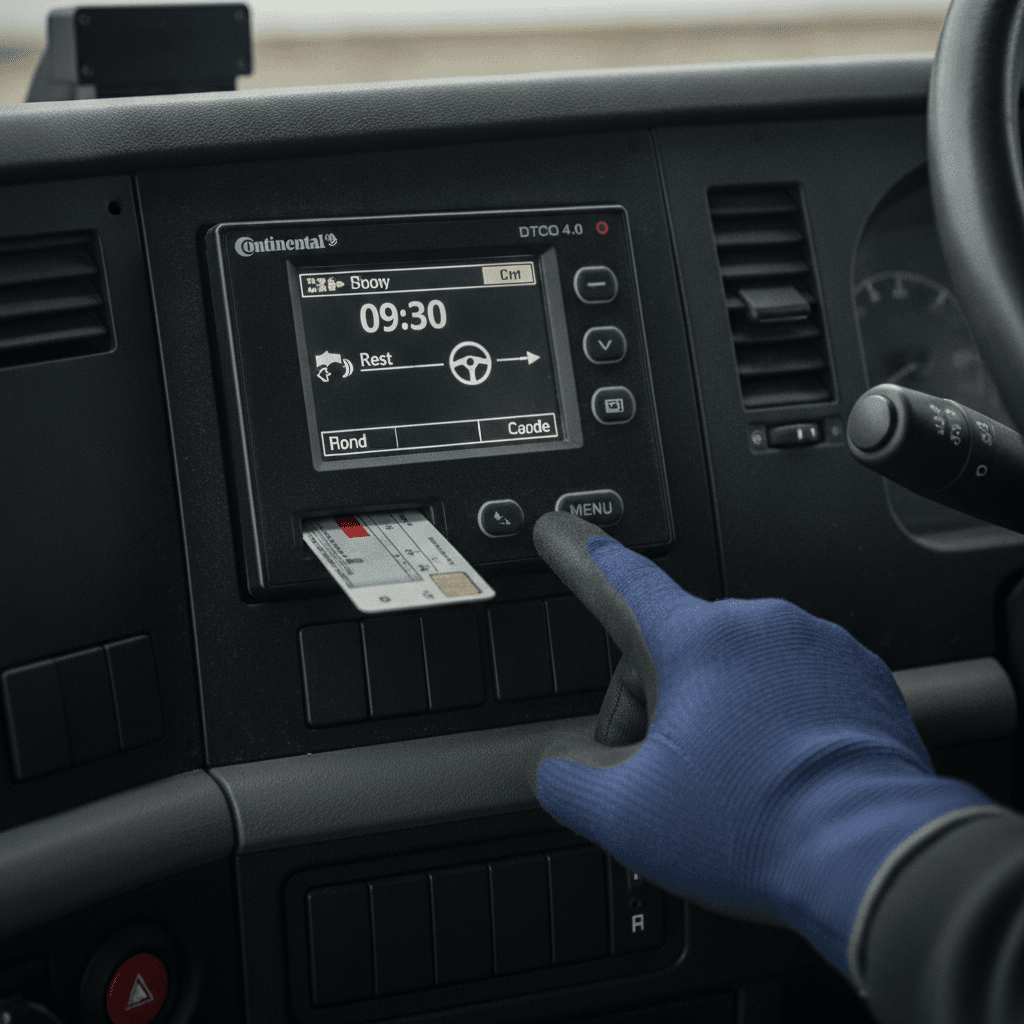
Manual entries are one of those tachograph topics that sounds simple until someone gets it wrong at a roadside check. The rules for when you have to make one, and how to make it, are specific. Get them wrong and you've turned a legitimate period of activity into a falsification infringement — which is a very different thing from a driving hours breach.
I've seen drivers do this, and I've done it myself in the early years. So let's go through it properly.
When you must make a manual entry
There are four situations that require a manual entry on a digital tachograph:
First: when a driver was away from the vehicle and couldn't record activity using the tachograph. This is the most common one. A driver parks up, pulls their card, goes to a rest facility or a collection point where they spend time working or on break — and the vehicle's tachograph isn't recording any of that. When they get back in and reinsert their card, the unit will prompt for manual input. They need to fill in what they were doing during the gap, accurately, before they do anything else.
Second: when the tachograph itself malfunctions. If the unit fails mid-journey, the driver must produce written records — on paper using the manual record form — for the duration of the fault. When the unit is repaired or replaced, the repair workshop will need the records to cross-reference. Don't assume the vehicle unit is recording correctly. If the driver suspects a fault, they should check the display and escalate immediately.
Third: when a rule breach has occurred due to an unforeseen event. Under Article 12 of EU Regulation 561/2006 (retained in UK law), a driver can deviate from driving hours rules to reach a suitable stopping place — but they must note the reason on the tachograph printout or on a separate document that travels with the printout. That annotation is a form of manual record.
Fourth: corrections. If a driver selected the wrong mode — recorded rest when they were working, for instance — the error needs correcting with a manual entry that includes the reason. This is important: a corrected manual entry without a stated reason looks like a falsification attempt to an analyst.
How to make a manual entry on a digital tachograph
On most digital tachograph units — whether a VDO DTCO, Stoneridge SE5000 or Continental VDO — the process is similar. Insert the driver card. The unit detects a gap since the card was last removed. It asks you to enter the activities for that period. You work through the time sequentially, selecting the correct mode (driving, other work, availability, rest) for each period, then confirm.
The entry is timestamped and flagged in the data as a manual input, not a live recording. That's completely fine — it's what the system is designed for. Analysts know the difference. What they're checking is whether the manual entry is plausible, internally consistent, and matches any corroborating records (like paper overnight dockets or GPS data).
For analogue tachographs: manual entries go on the reverse of the chart. The driver must write their name, the date, the vehicle registration they're recording for, and the activities with accurate times. The reverse of an analogue chart is a legal record in its own right.
Out-of-scope work: the recording requirement most drivers ignore
Here's the one that causes the most problems for mixed fleets. A driver who spends Monday to Wednesday on GB domestic work — driving a vehicle below the threshold for EU hours rules, or doing work that falls outside the scope of Regulation 561/2006 — and then does a regulated run on Thursday has a recording obligation that covers the whole week.
Under the EU hours rules retained in UK law: if you do any in-scope driving in a week, you must keep a full record of all other work, driving and availability in that same week — even for the periods that aren't covered by EU rules.
In practice: if your driver was on a maintenance run with a van on Monday and Tuesday (not covered by EU hours), then drove an artic on Wednesday, they need manual records for Monday and Tuesday too. Not just for Wednesday. The gap in the data — those two days with no tachograph card activity — is an infringement waiting to happen if an analyst flags it without supporting records.
The way to handle this: get your drivers to carry manual record forms for days when they're doing out-of-scope work, and make sure those forms are produced at the first in-scope stop of the week. They should be attached to the downloaded data for that week.
Ferry crossings: mode selection matters
A ferry crossing during a rest period — which is most HGV cross-channel traffic — has its own tachograph mode. On a digital unit, the driver selects the ferry/train symbol alongside rest mode. Both modes simultaneously. That combination tells the analyst the driver was at rest on a ferry, which is specifically allowed under driving hours rules — and a break in that rest due to disembarkation procedures or a brief interruption doesn't necessarily break the rest period.
Border crossing symbols must be recorded at the port or station of arrival — not at the point of departure, not somewhere in the middle of the sea. If your drivers are hitting the border crossing button at Dover before they board the ferry rather than at Calais when they arrive, that's technically incorrect. DVSA hasn't been prosecuting people for this at scale, but it's an infringement on the face of the data.
Brief the drivers: ferry mode and rest mode together during the crossing. Border crossing symbol when you're through the other side.
The three recording mistakes DVSA finds most often
Mistake 1: leaving a gap without filling it in. A driver re-inserts their card after a rest break and skips the manual input prompt by pressing through it too fast — or doesn't realise it appeared. The data shows an unaccounted gap. To an analyst, an unaccounted gap where activity was clearly occurring looks like a deliberate omission. This is the one that gets drivers a Category 2 or 3 infringement when the underlying break was completely legitimate.
Mistake 2: entering the wrong mode for manual periods. Selecting 'availability' when the driver was actually at a customer waiting for loading — when they had no control over when loading started — is technically correct (availability is the mode for periods waiting at the disposal of the employer without driving). But most drivers enter 'other work' for everything that isn't rest, which misrepresents the time and can distort the hours calculation. Brief your drivers on what availability actually means: waiting at the disposal of the employer without driving or performing other work.
Mistake 3: making entries after the fact from memory. A driver completes a week's driving, downloads data on Friday afternoon, notices a gap, and makes a manual entry that covers three days of activity from memory. The timestamps are approximate. The modes are guessed. An analyst comparing the entries against GPS data or customer timestamps will find inconsistencies. Manual entries have to be made as soon as reasonably possible after the period in question — not reconstructed days later.
What the record looks like at analysis
When your tachograph analysis software processes downloaded data, manual entries are flagged differently from live recordings — typically with an 'M' marker or similar. Analysts know this. What they're looking for is whether the manual entry covers the gap, whether the modes are plausible, and whether the entry would have been made promptly.
A well-made manual entry is invisible in terms of compliance risk. A badly-made one — or a missing one — is what generates the infringement report that ends up on your desk needing a sign-off and a driver debrief.
Every infringement on a downloaded data set should be reviewed against the manual entry records for that period. If the infringement is 'gap in data', the first question to ask is: was a manual entry required, and was one made?
Driver briefing: what to tell them
Most tachograph infringement problems I've seen with manual entries come from drivers who were never properly briefed on when to make them. They assume the unit is recording everything automatically. It isn't — not when the card is out, not when the vehicle is parked, not during out-of-scope activity.
My briefing covers four points:
- Any time your card is out and you're doing anything — working, resting, waiting — you need to be ready to record it manually when you re-insert
- If the unit prompts for manual input when you insert your card, don't skip it. Fill it in accurately before you do anything else
- On a ferry, select ferry mode AND rest mode together. Record the border crossing at arrival, not departure
- Out-of-scope days in the same week as in-scope driving need records. Manual forms, or diary sheets — whatever system we use. Don't leave a blank
That's it. Four points. Short enough to put on a laminated card in the cab.
Operator obligations around manual entries
As the operator, you need to download and analyse the data — including manual entries — within the required intervals. Vehicle unit every 90 days; driver card every 28 days. When you analyse infringements, manual entry gaps or errors should be picked up and addressed in a driver debrief. Document that debrief. Sign it. File it with the downloaded data.
If DVSA pulls an infringement in downloaded data and you can't show that you caught it, addressed it, and documented what you did about it — that's what ends up in a Traffic Commissioner's letter. The infringement itself is one thing. The operator not acting on it is another.